01 · System of record
Run your whole company on software you own.
Not ten vibe-coded apps that fight each other. Not rented SaaS that never fits. Point your agents at one governed record and a coherent suite of apps comes together in hours: typed, audited, durable, and yours to download as a single file. You and your agents work the same record, side by side.
curl -fsSL https://canonify.app/install.sh | sh macOS, Linux above. Windows: irm https://canonify.app/install.ps1 | iex
02 · What you can now do
The version of your team that owns its software.
Your operation runs on one record. The customer defined five times, in the CRM, the billing tool, the help desk, the spreadsheet, and the ERP, is one typed object now. Every app reads the same truth.
The tool you couldn't justify building exists. Describing it to an agent is the work now; the database, auth, and audit come standard. What needed a sprint needs a sentence.
You can walk away any day. Your whole canon, schema, data, and audit log, downloads as one SQLite file. Ownership is the architecture, not a promise.
Nothing ships behind your back. Agents move fast and stop at the gate. Anything touching structure or policy waits for your approval, every change attributed by name.
03 · Why now
Two worlds, one missing piece.
The old world ran on rented backends. Your operation is smeared across a dozen SaaS tools nobody owns. A customer is defined in the CRM, the billing tool, the help desk, the spreadsheet, and the ERP: five shapes of the same thing, none of them the truth. And every tool is the wrong size. You pay for a bloated suite to get the tenth of it you need, and the part you actually need is in none of them.
The new world builds its own, and fragments differently. Agentic coding finally makes custom software cheap. But an app built from scratch reinvents its own database, its own auth, its own audit, and defines the customer all over again in its own corner. Ten custom apps become ten new silos, each with its own security posture and its own version of the truth. You traded the bloat for chaos.
"The missing piece in both worlds is a system of record the apps agree on."
Canonify is that record. Define each entity once: typed, governed, audited. Every app reads and writes the same record through the same typed surface, whether Canon renders it, Canon hosts it, or you host it yourself. Auth, audit, data integrity, and approval are the platform's job, not something each app re-solves. Agents propose, humans approve, the record stays the single source of truth. Your apps end up exactly the size of your org.
04 · Build
Agents build it.
You stop hand-building CRUD apps. Schema in SQL. Every table becomes a typed Object: named properties, links to other objects, a contract above the raw columns. Writes become typed, governed Actions, with state machines for lifecycle. Views in a JSON spec the platform validates before it touches your data. Proposed in a CLI session, governed by approval, rendered the moment they land.
05 · Operate
Agents operate it too.
You stop wiring integrations and exports by hand. Building is only half of it. Every object, action, and query is reachable over CLI and MCP, so an agent runs the day-to-day: querying, updating, and moving records through their states. Your team works the same data in the canvas, in whatever shape fits.
06 · Govern
Humans govern it.
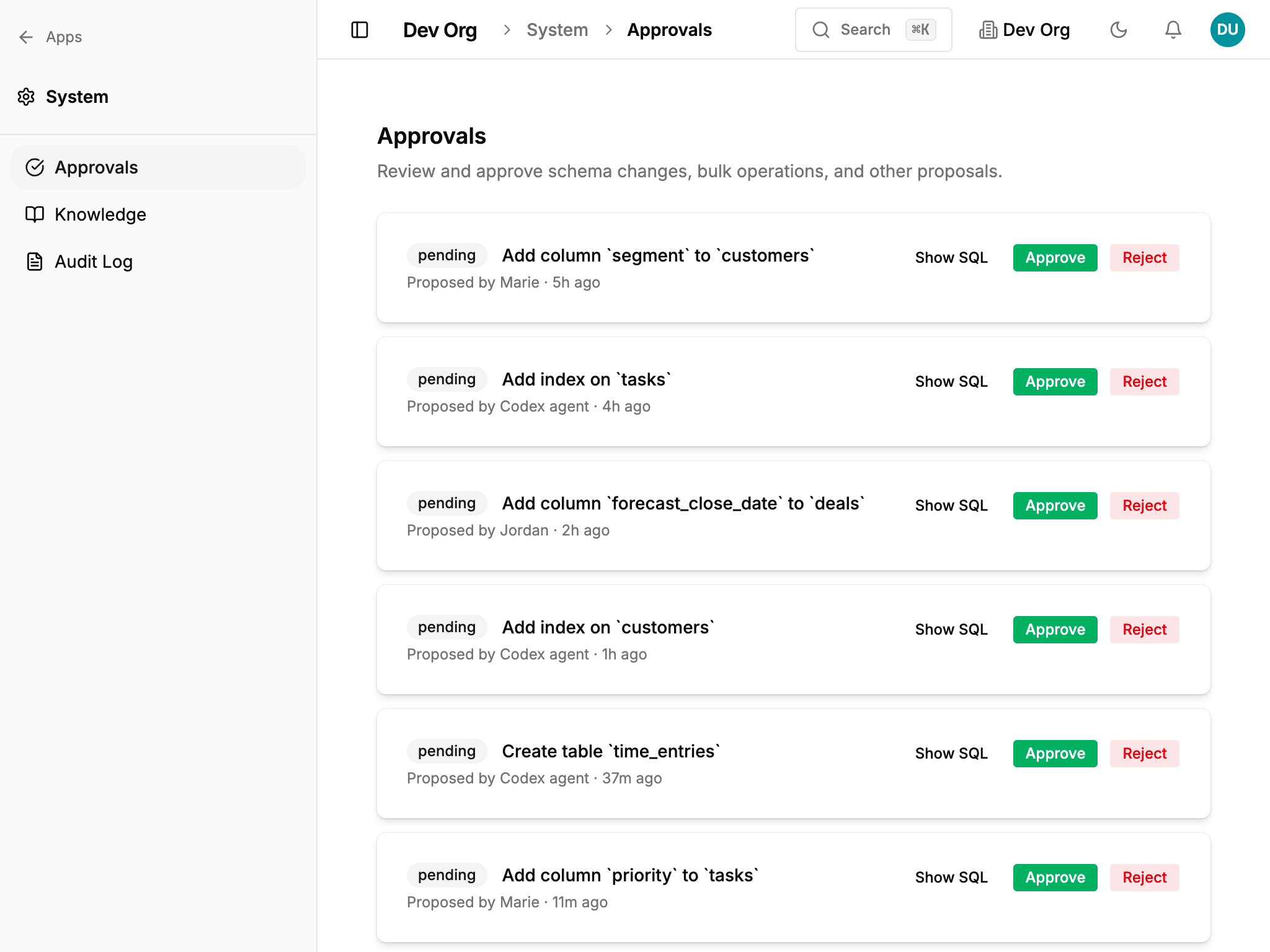
You stop hoping the agent didn't break something. Your write surface is typed Actions on typed Objects, not raw SQL. Each action validates its inputs, runs atomically, and lands in the audit log under its own name and the principal who ran it. Permission each action by role: an agent can update a customer but never delete one, run a refund but not rewrite a price. Anything that touches structure or policy waits behind a human checkpoint, where agents propose and you approve.
07 · Build on it
One record, three ways to build.
The governed record stays the same underneath. The only choice is where the UI runs and who hosts it. Start with Integrated and reach for the others when you need bespoke or customer-facing apps.
Tier 1 · Integrated
Canon renders it.
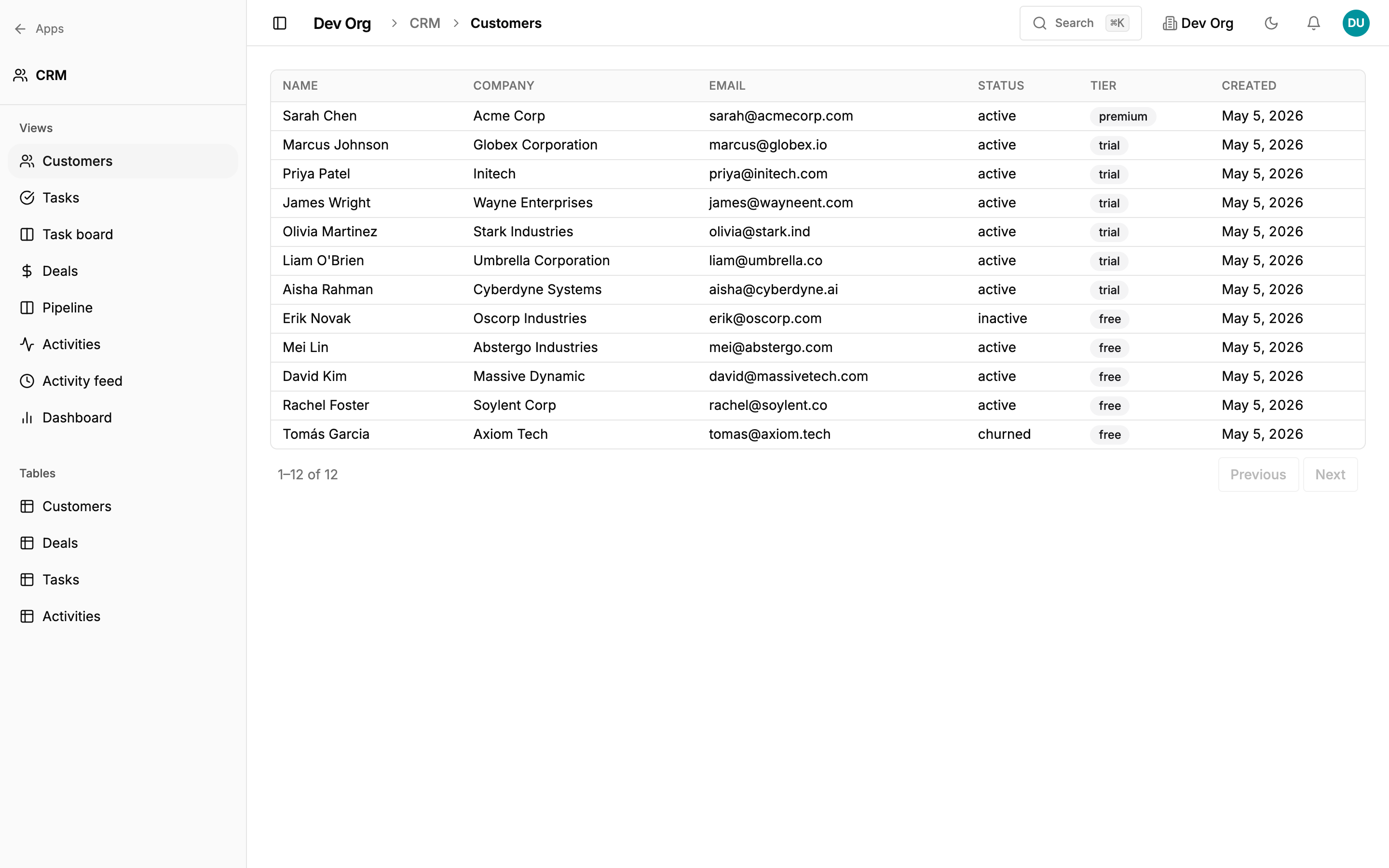
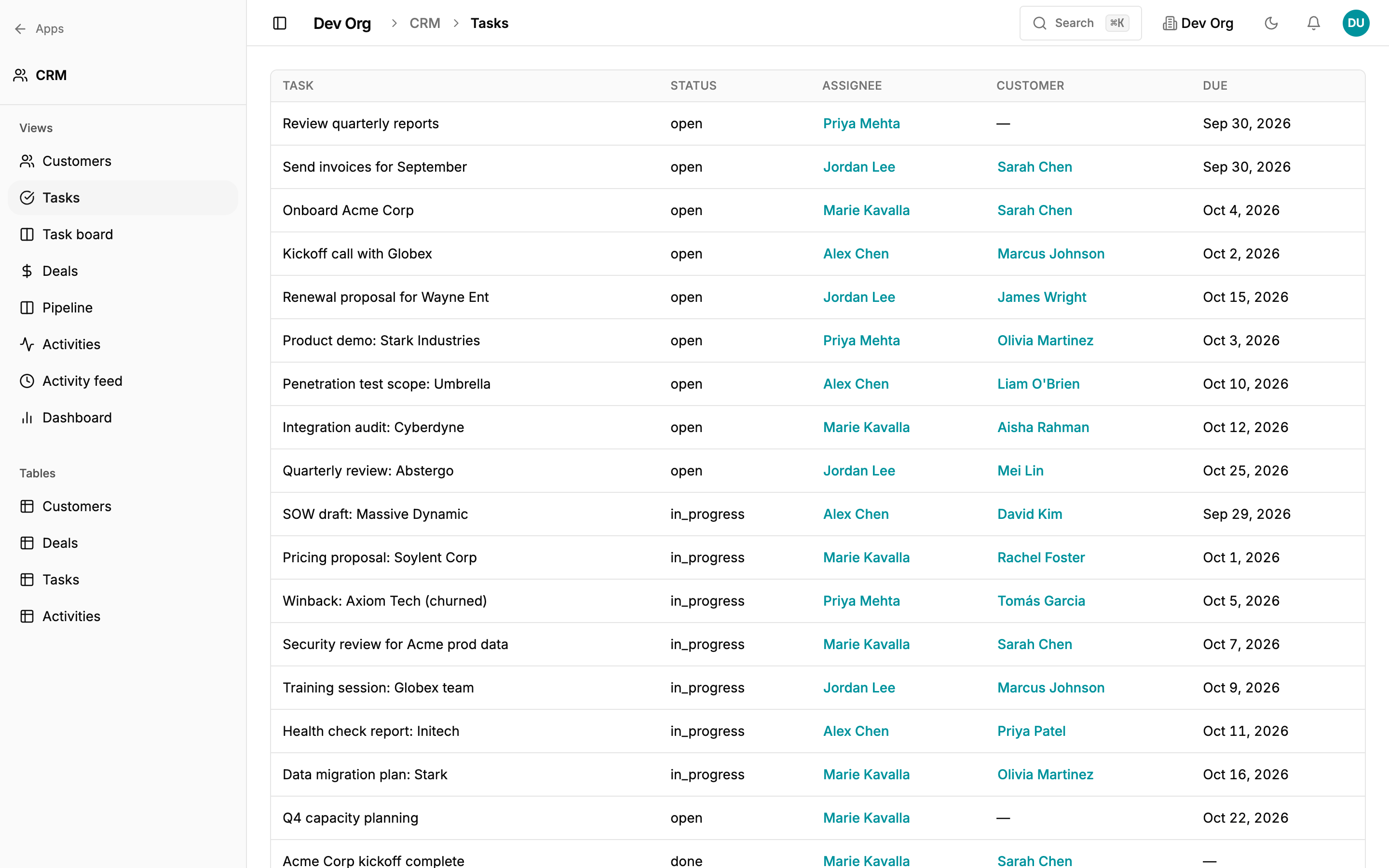
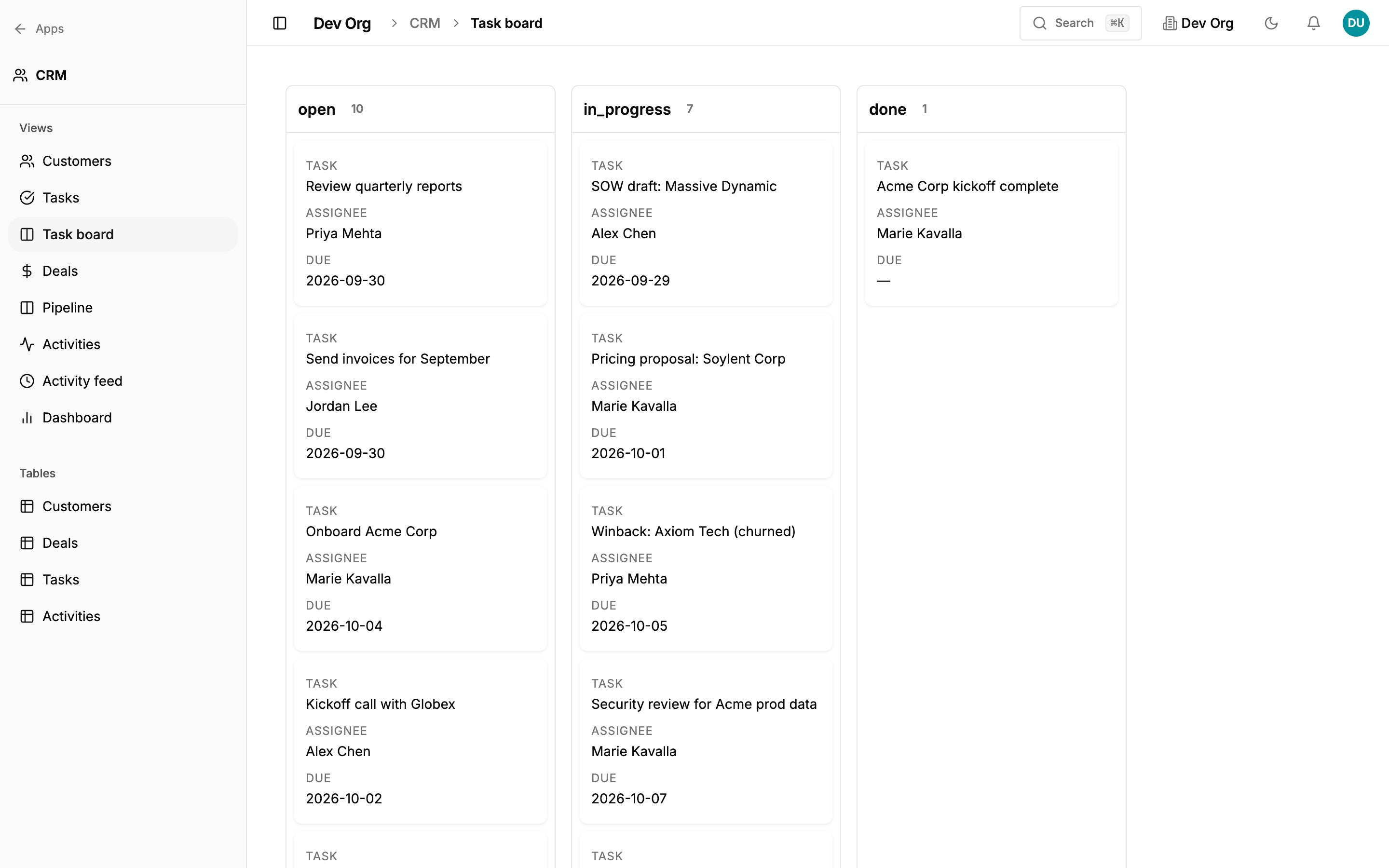
A validated JSON spec per view, no UI code to write. The same data takes whatever shape your team needs. Four real views below, all rendering against the same CRM data. Live today.
List
{ "type": "list", "columns": [...] }
Sortable columns, filters, inline edits.
Board
{ "type": "board", "groupBy": "status" }
Kanban columns from any enum field. Drag to update.
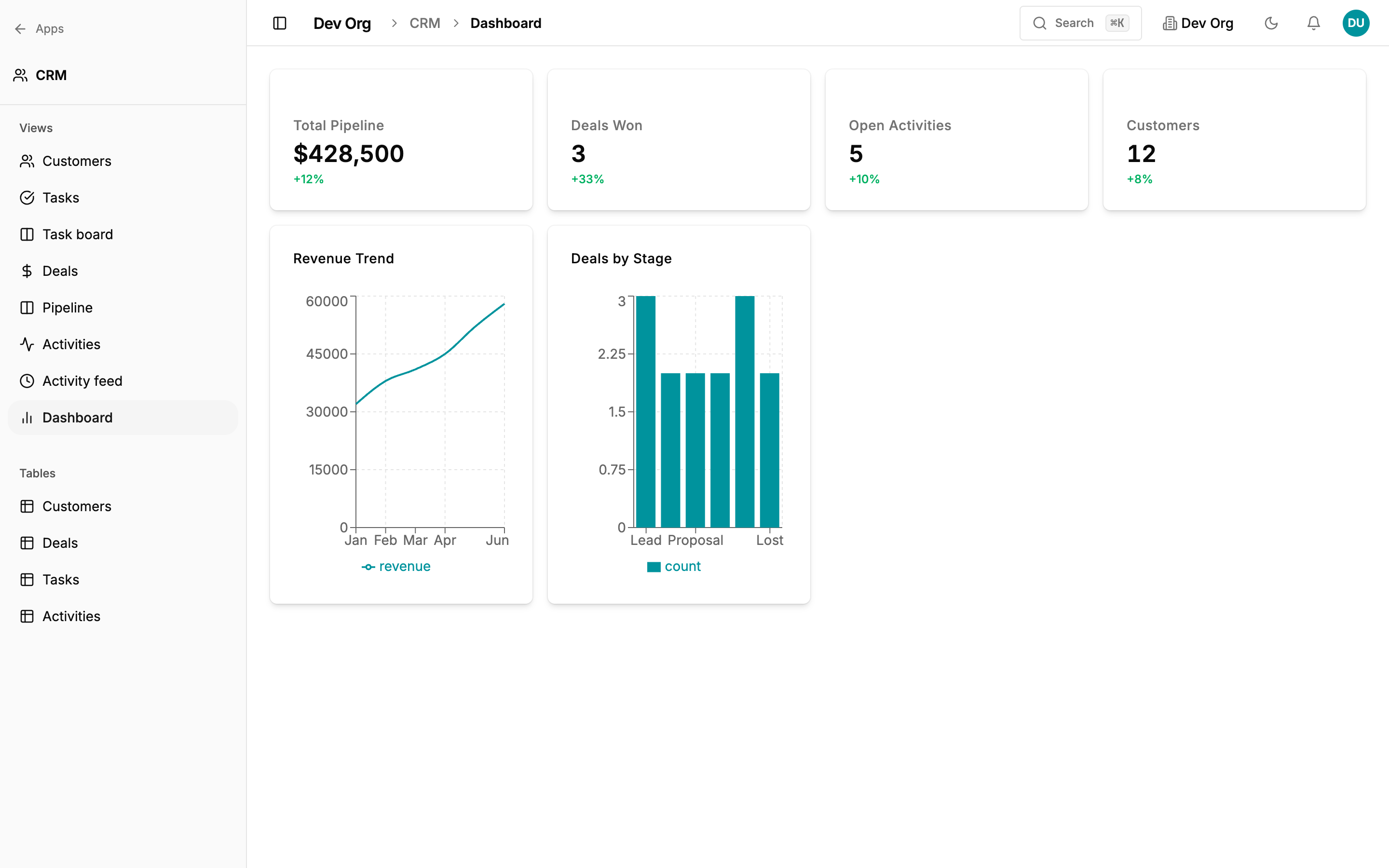
Dashboard
{ "type": "dashboard", "widgets": [kpi, line_chart, bar_chart] }
KPI tiles, line and bar charts. No charting library to choose.
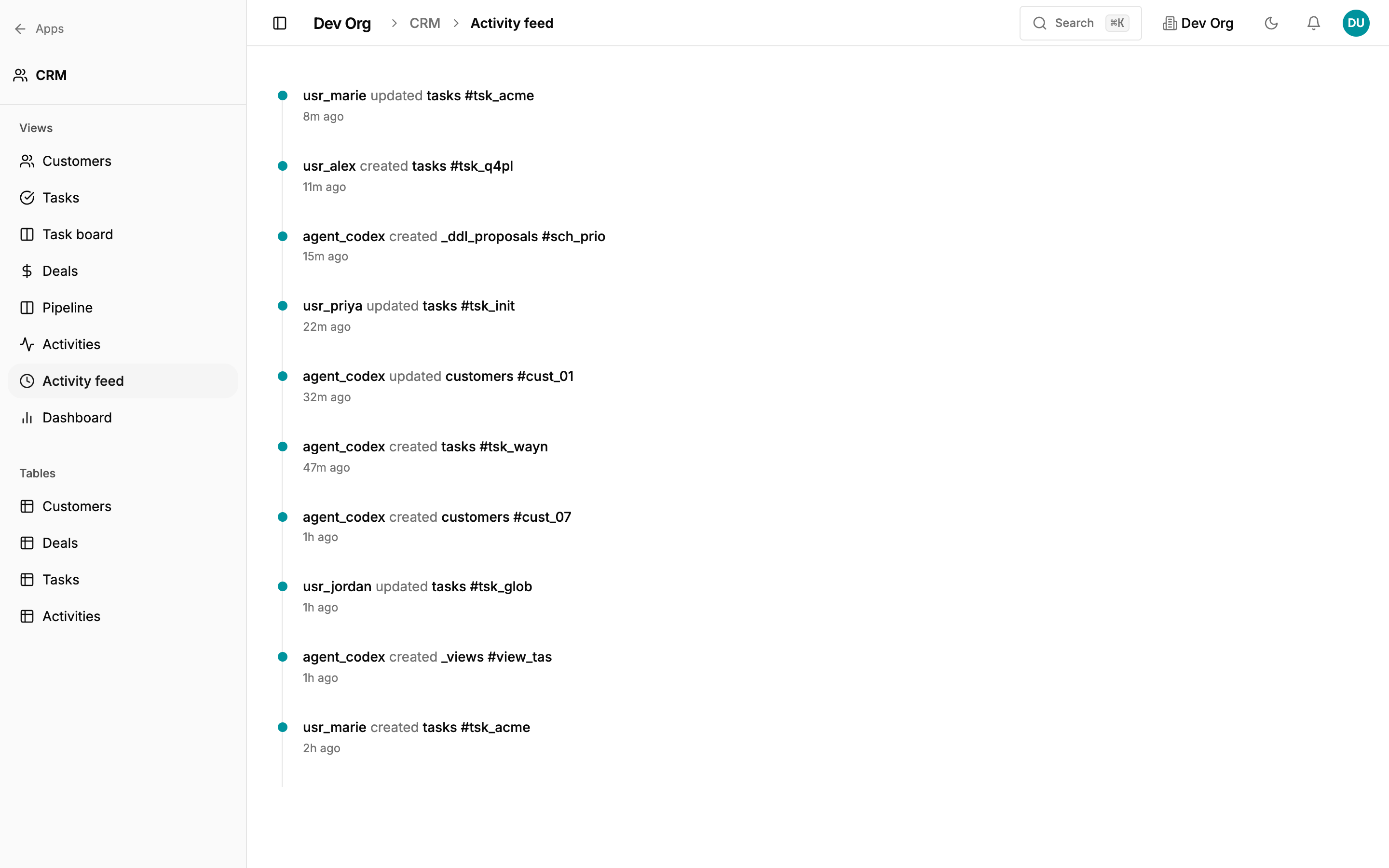
Activity feed
{ "type": "activity_feed" }
Streams from the system event log. Agents and humans, attributed.
Tier 2 · Hosted
Canon hosts it.
AI keeps generating apps. Your team is already building dashboards, tools, and mini-apps in Claude and Cursor. The problem is they have nowhere to go — emailed as files, pasted into Notion, forgotten. Vibe-coded orphans.
Hosted Apps is where they belong. Deploy any HTML artifact on your Canon's domain. Your colleagues open it already logged in. Your data is already accessible on the same origin. No API keys, no CORS, no IT ticket.
The designer builds a client tracker. The ops lead builds a shipping dashboard. The support team builds their own queue. All on your Canon. All coherent.
Tier 3 · External
You host it.
Bring your own app, on any stack, anywhere. Talk to Canon as a typed backend over the generated REST surface, with the same governance and audit every other surface gets. Canon is the record underneath, not a framework you are locked into.
None of it is UI-only.
Whichever tier the screen lives in, every object, action, view, and query is reachable by an agent over CLI or MCP, with the same types, governance, and audit as the buttons in the canvas. In old SaaS the API is an afterthought bolted onto a UI. Canonify is the other way around: one governed surface, generated identically for people and agents, so every part of your app can be driven by a human click or an agent call.
That one surface is schema propose, views create, list / get / create / update / delete
for structured CRUD, query / mutate
for raw SQL, search, policy, audit, catalog export / apply.
Identical across REST, CLI, and an MCP server for Claude Desktop,
Codex, or any MCP-aware agent.
08 · Own it
It is your data, in a file you can take.
Your canon is not rows in someone else's multi-tenant table. Each org is its own isolated SQLite database. One command downloads the whole thing, schema, data, and audit log, as a single file you can open in any tool.
canon org export --output mycanon.db No export queue, no proprietary format. It is SQLite.
Underneath, each org is its own libSQL database on Turso — durable, managed storage — and the whole thing exports to a single SQLite file you can open anywhere. You get managed durability with the portability of a file on your own disk. No lock-in is a property of the architecture, not a marketing promise.
09 · Try it
Install the CLI. Get on the list.
Canonify is in private beta. The CLI is open. Drop your email and we will get you onboarded.
curl -fsSL https://canonify.app/install.sh | sh